Beyond Chat: The Interfaces AI Actually Needs
Chat is a great demo container and a mediocre default for most work. The next wave is embedded, structured, and silent.
Elena watched her team build yet another chat interface. The third one that quarter. Each one was a text box with a model behind it, and each one was failing — not because the model was wrong, but because the interface was wrong. Chat didn't lose. It found its place: exploratory work, not operational throughput.
Here's the thing: chat imposes turn-taking on tasks that aren't dialogues. Filing expenses, approving POs, configuring systems — these want deterministic UI with AI assistance at decision points. The interface should match the mental model of the task, not the model's favorite I/O format.
Patterns replacing default chat
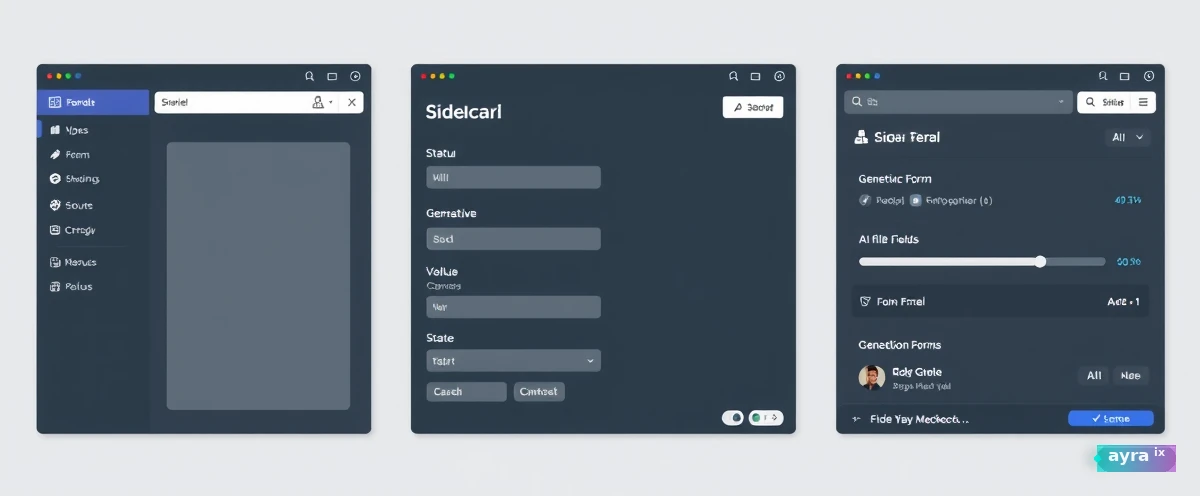
- Sidecar panels — context from the page, no copy-paste theater
- Generative forms — AI proposes fields; user edits; submit is explicit
- Status rails — long jobs show progress, not typing indicators
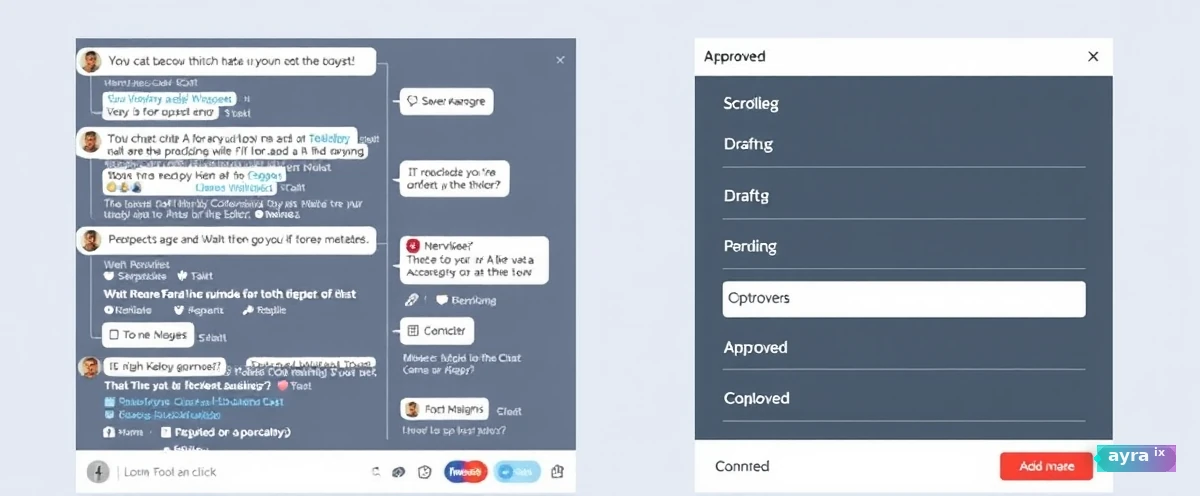
- Approval queues — agents batch work; humans swipe approve
Would a user know what happened if you removed the chat history? If not, the UI failed.

Chat is the command line of AI — powerful, beloved by builders, wrong for everyone else on most tasks.
Chat isn't dead — it's demoted
Exploratory work still loves chat — brainstorming, unfamiliar domains, debugging when you don't know the question yet. Operational work hates it. Expense approval, ticket triage, config changes — these want buttons, validation, and undo. Design mode switches: explore in chat, execute in structure.
Users blame "the AI" when the interface lied about what happened. Structured UIs show state — draft, pending approval, sent. Chat hides state in scrollback. Enterprise trust needs visible state machines, not clever prose.
- Inline assist — suggest next field value; user edits; no conversation
- Batch queues — agent prepares ten drafts; human approves in list view
- Progress rails — long jobs show steps, not typing dots
- Error surfaces — red banner with retry, not apologetic paragraph
Chat is a great discovery interface and a terrible system of record.
Measuring interface fit
Track time-on-task, error rate, and repeat usage per workflow. When structured UI beats chat by 40% on time, stop forcing conversation. A/B the shell, not just the model — UX is where enterprise AI lives or dies.
Audit your AI features — how many are chat-only because chat was fastest to ship? Pick the highest-volume workflow and reshape it as a form with AI-filled fields. Users will thank you with adoption, not praise for innovation theater.
Can the user complete the task without reading the chat history? That's the bar.
Accessibility and chat
Chat UIs are notoriously bad for screen readers and async workflows. Structured forms with labels beat message bubbles for compliance and accessibility. Enterprise buyers increasingly ask — plan beyond the cool chat demo.
Design mobile-first for field workflows. Chat on a phone in a warehouse is misery; big buttons and photo capture with inline AI are productivity.
APIs over chat for automation
Other systems need structured webhooks and APIs, not chat transcripts. Design AI features with machine-readable outputs first; chat is one consumer. B2B integrations die when the only interface is a thread.
Expose the same capability as REST event and as sidecar UI. Chat demos; APIs scale.
Executive dashboards aren't chat
Leaders want cards, deltas, and drill-down — not a thread to scroll. Embed AI summaries in BI surfaces they already open Monday morning.
Ship one non-chat AI surface next sprint. Measure adoption against the chat feature it replaces.
Mobile field workflows
Technicians need camera capture, big confirm buttons, offline queue — not a chat thread in sunlight on a cracked screen. Design for gloves, glare, and intermittent connectivity.
Default to structured UI for anything repeated weekly. Reserve chat for exploration and debugging. Your users aren't asking for more threads — they're asking for fewer clicks.
Run a five-user hallway test on structured UI vs. chat for the same task. Video beats opinions. You will rarely hear "I prefer scrolling the thread." Ship the winning pattern before funding another chat experiment. Measure repeat usage, not demo applause.
A well-built utility is intentionally not a chatbot homepage — each surface is shaped for one job. That's the direction enterprise AI should copy.
Delete the chat history and see what breaks
Pick your highest-volume AI feature and run the interface test from earlier: if a user couldn't tell what happened without scrolling the transcript, the UI failed, not the model. Reshape that one workflow into a form, a queue, or a status rail before you fund another chat experiment nobody asked for.
Chat still wins for exploratory work — brainstorming, debugging, the moments you don't know the question yet. But operational throughput wants buttons, visible state, and undo. Measure time-on-task on both and let the data pick the shell, not the demo reel.
Your move: This sprint, pick one AI feature that shipped as a chat interface and give it a non-chat shell. A form with AI-filled fields. A queue with bulk approve. A status rail for long jobs. Don't change the model — change the interface. Measure time-on-task before and after. If the structured version doesn't beat chat by at least 30%, you learned something valuable. If it does, you just proved that the interface was the bottleneck, not the intelligence.
Chat is the command line of AI — powerful, beloved by builders, wrong for everyone else on most tasks.
Stay with us · challenge
Which Interface Type is Best for Your Workflow?
Think about a typical task in your daily work. Is it better suited to a chat-based interface or a structured UI? Choose the option that aligns best with how you prefer to interact with AI tools.
No account needed — pick a take, then keep reading. We rotate these prompts so each piece feels like a conversation, not a clone.